You could activate USA Network on your TV by installing the USA Network app and linking it to a supported TV provider. You need a cable, satellite, or eligible digital TV subscription that includes USA Network. The app itself is not a standalone subscription.
Once linked, the app gives you the live USA Network feed. You get recent episodes, movies, and supported live sports.
The exact sign-in process usually is slightly different between several Operating Systems. Follow the procedures below for your device.
What you need before activating USA Network on your TV
Have these ready before opening the app:
- A TV package that includes USA Network.
- Your TV provider’s username and password.
- A phone, tablet, or computer connected to the internet.
- Your streaming device connected to Wi-Fi.
- The latest version of the USA Network app.
How to activate USA Network on Roku
To install and activate USA Network on a Roku TV or Roku streaming player:
- Press Home on your Roku remote.
- Open your Streaming Store or Streaming Channels.
- Search for USA Network.
- Select the official USA Network app.
- Choose Add app or Install.
- Open the app and follow the on-screen instructions to link.
Important: Use only the web address displayed by the official application. To avoid getting hacked, do not enter your activation code on a website from a pop-up, advertisement, or unofficial source.
How to activate USA Network on Amazon Fire TV
Some Fire TV versions allow you to select your provider directly in the app. Others display an activation code.
Use the following procedure:
- From the Fire TV home screen, select Find.
- Search for USA Network.
- Select the official app.
- Choose Download or Get.
- Open the app after installation and follow the prompts.
How to activate USA Network on Apple TV
The USA Network app is available on Apple App Store listing and requires tvOS 16.6 or later.
To activate it:
- Open the App Store on Apple TV.
- Search for USA Network.
- Download the official app.
- Follow the prompts.
Tip: Older third-generation Apple TV models may use a different activation process. If the standard code does not work, follow the instructions in USA Network’s official activation support guidance.
How to activate USA Network on Android TV or Google TV
To activate USA Network on an Android TV or Google TV device:
- Open the Google Play Store.
- Search for USA Network.
- Select the official app from Versant Media.
- Install the app.
- Open it after installation.
- Select Sign In or Link TV Provider.
- Follow the instructions shown on the screen.
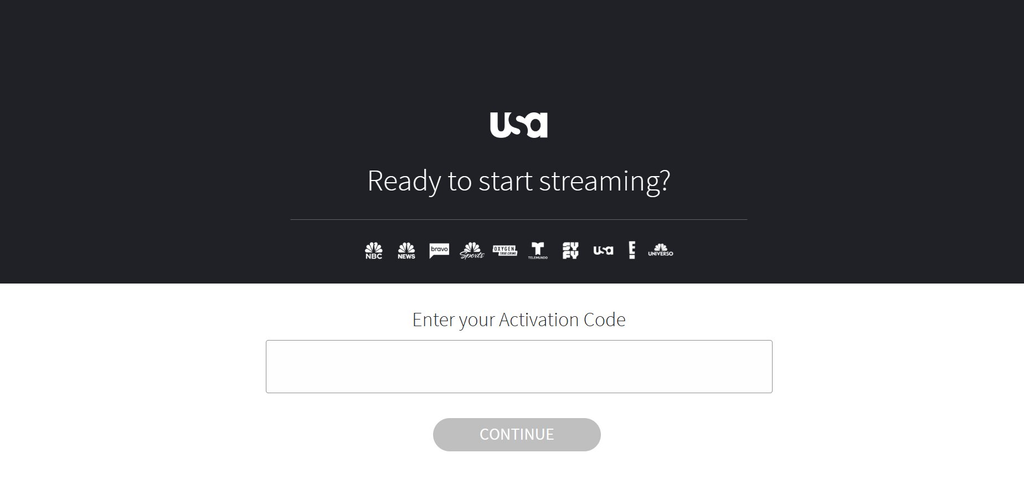
The Android app supports live TV and a 24/7 schedule after you link an eligible provider.
What to do if the USA Network activation code does not work
Activation codes can expire. Generate a new code if the first one fails.
Try these fixes:
- Return to the USA Network app and request a new code.
- Check that every character was entered correctly.
- Reload the activation page.
- Use a private or incognito browser window.
- Clear your browser’s cookies and cache.
- Try another browser or device.
- Sign out of the USA Network app and sign in again.
- Restart your TV or streaming device.
- Delete and reinstall the app.
- Confirm that your TV package includes USA Network.
- Check that your provider account is active.
- Contact your TV provider if your credentials are rejected.
If the code continues to fail, follow the official activation troubleshooting steps. For similar provider-login and app issues, see our guide to fixing the NBC app when it is not working.
Can you watch USA Network without activating the app?
Yes. This is if your live-TV service includes USA Network. You could watch it through that provider’s applications instead. Open their official app and search for USA Network in the live-channel guide.
This is the best option for you if you already use a live-TV streaming service. You will not need to install another app.