Amazon is now showing full-screen ads on Fire TV home screens. These pop-ups have to be closed before you can get to your shows or apps.
Now, when many Fire TV and Fire TV Stick owners turn on their devices, a full-screen ad appears right away. The ad is for Amazon’s updated Fire TV mobile app and includes a QR code so you can download it easily.
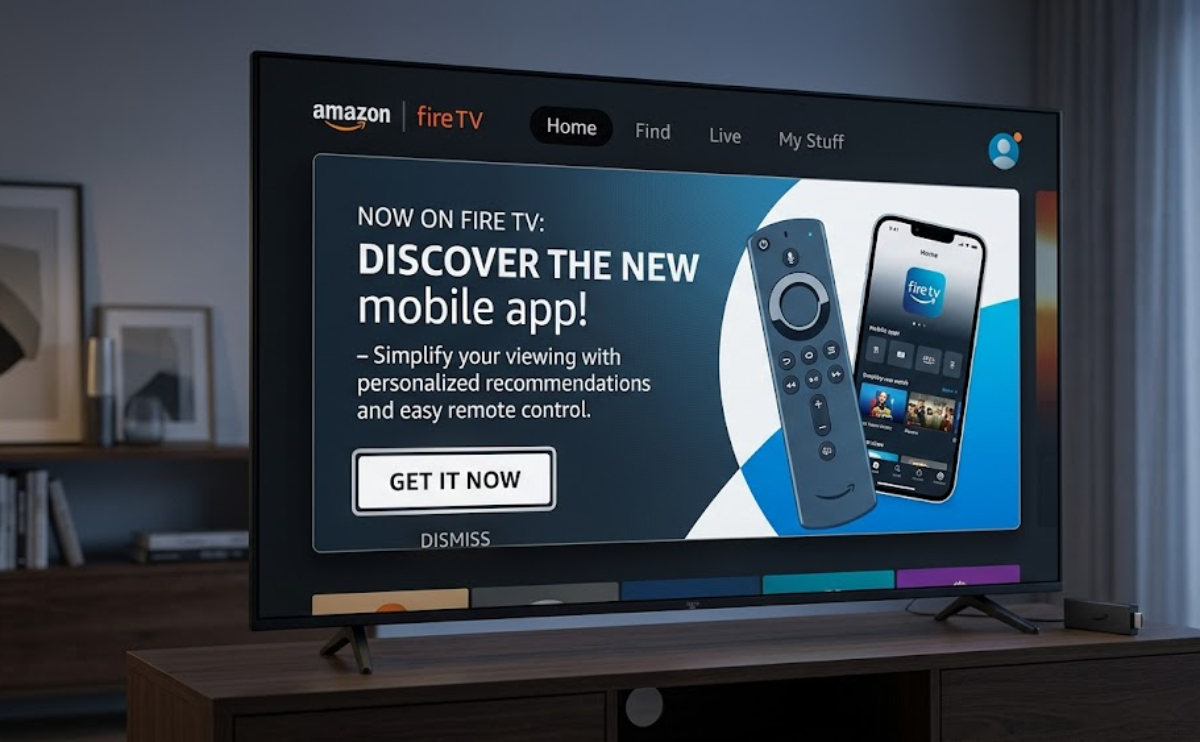
This ad is different from past system alerts about updates or Bluetooth problems. It is only for promotion and blocks the home screen until you close it.
Why this change is unwelcome
Fire TV devices already show big banner ads, sponsored content, and videos that play automatically on the home screen.
Users say it now takes more clicks and time to get to their apps or the Continue Watching section. It also makes it harder to find the app grid.
The effect on users is clear right away. Families who want to quickly watch kids’ shows or sports highlights now have to deal with an interruption. People who picked Fire TV for easy, affordable streaming now face more obstacles, making the experience feel more like a sales pitch than simple entertainment.
This pop-up shows up every time you start a Fire TV or Fire TV Stick. You have to close it yourself, which adds a few seconds of delay each time you turn on your device.
Amazon is trialing the full-screen ads on Fire TV home screens
Right now, the ad is only for Amazon’s redesigned app from earlier in 2026. Still, many people are concerned that this could be a test before showing ads from other companies.
If this works for Amazon, it might mean ads for things like snacks, clothes, or services could show up just as people are trying to relax and watch TV.
Fire TV already shows ads for things other than entertainment, and full-screen ads are even harder to avoid.
Are there workarounds for full-screen ads on Fire TV home screens?
Some users have found a few ways around certain ads. For example, double-tapping the Home button or moving quickly can sometimes skip parts of the interface. But the new startup pop-up has to be closed directly.
You can go to Preferences and then Featured Content in the settings to turn off video and audio autoplay for some ads. This helps cut down on surprises, but you will still see static ads.
How consumers have reacted to full-screen ads on Fire TV home screens
People online are getting more annoyed by these ads. Some call them “intrusive” and “unnecessary,” especially since the app being promoted just adds convenience, not important updates.
Many wonder if paying for ad-free options or buying more expensive devices will be the only way to avoid these ads.
Amazon has not said if it will show more full-screen ads beyond the current app promotion. Still, switching from system alerts to ads makes people worry about what might come next.
People who chose Fire TV for its low price and Prime features now have to decide if they want to keep using it or look for other devices with fewer ads and a simpler interface.
Right now, the number of complaints might help decide if these full-screen ads stay or are just a test. Until then, many people have to close ads before they can watch the shows they turned on the TV for.