With Fire OS, you can watch thousands of free ad-supported streaming TV channels and explore huge on-demand content libraries. In 2026, you can use your Amazon Fire TV Stick to access these free channels without a subscription or credit card.
These channels offer live national news, local updates, full-length movies, classic TV shows, and live sports. You can find official apps like Pluto TV, Tubi, Sling Freestream, Plex, Freevee, Xumo Play, and The Roku Channel in the Amazon Appstore.
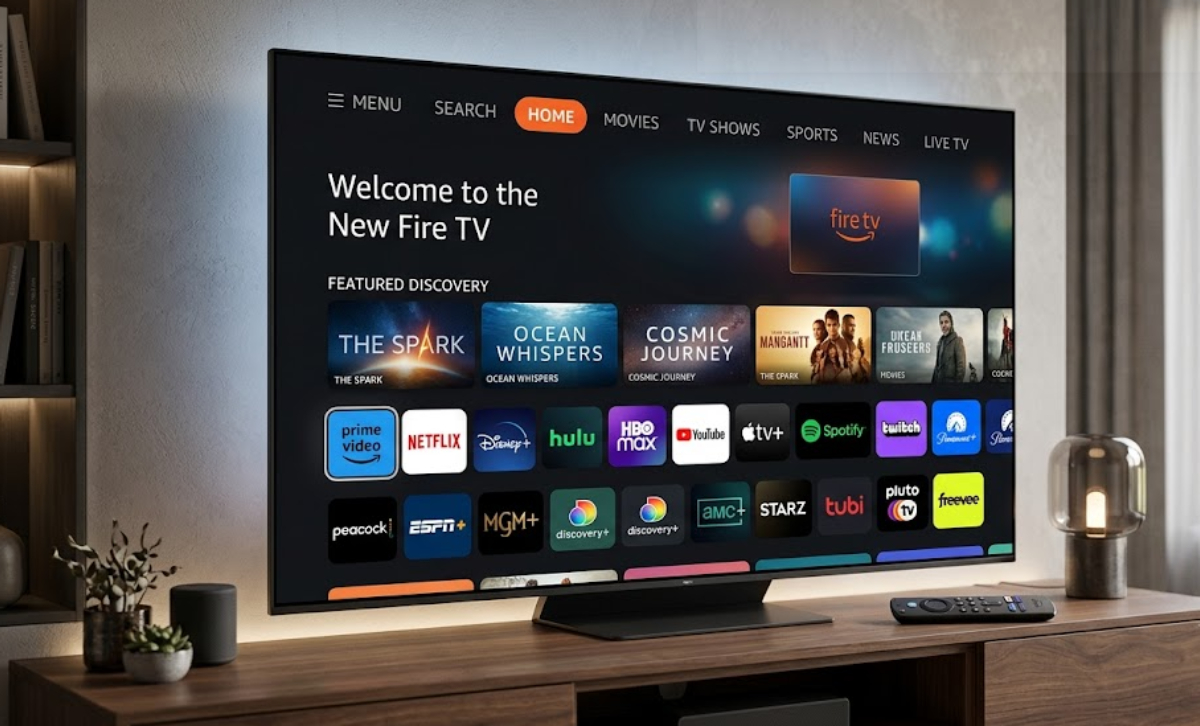
Here is a breakdown of free channels on Amazon Firestick in 2026, organized by category, and how to access them.
1. News and Local Broadcast
Amazon Firestick lets you watch hundreds of 24/7 national news streams and Live TV feeds from local stations across the United States.
- ABC News Live and CBS News: These flagship news networks offer continuous live coverage, breaking news bulletins, and original documentary reporting. They run 24 hours a day and can be accessed as standalone apps or viewed within aggregated hubs like Pluto TV.
- NBC News NOW: It offers live anchor coverage, international reports, and evening news shows, all without signing in or paying.
- LiveNOW from FOX: Streams major press conferences, court trials, and breaking emergency events from around the country, with very little studio commentary.
- Bloomberg TV and Yahoo Finance: Great for investors and business fans. They show live stock market updates, financial analysis, and interviews with business leaders all day.
- Zeam: Lets you watch live broadcasts from TV stations in all 210 US media markets. Local Now uses your ZIP code to show you local weather, traffic, and community news.
- Haystack News: A smart news app that creates a personalized video playlist for you, based on your interests, location, and favorite news sources.
2. Movie and Entertainment
Fire TV Stick OS has hundreds of channels for different movie genres, classic TV shows, and popular franchises.
- Pluto TV (300+ Channels): Paramount’s flagship free service mirrors a classic cable television grid. It features dedicated 24/7 single-show channels, such as Star Trek, CSI, Baywatch, and Criminal Minds. Furthermore, you will get curated movie channels grouped by action, comedy, drama, sci-fi, and romance.
- Tubi TV: Has over 260 live channels and a huge on-demand library. You will find classic TV, true-crime shows, pop-culture programs, and more than 275,000 movies and episodes to watch anytime.
- Sling Freestream: Has over 650 free channels, making it the biggest free channel selection on Fire OS. It features networks like Ion Television, Bounce XL, Grit Xtra, FailArmy, and The Pet Collective. Registered users also get 10 hours of free cloud DVR storage.
- The Roku Channel: The channel is available as a native application for Amazon Fire TV Stick. It offers exclusive Roku Original series, curated Hollywood blockbusters, and continuous reality TV channels. Furthermore, it features hits like Dateline and Kitchen Nightmares.
- Plex: It offers over 600 free live channels, including indie films, classic Hollywood movies, foreign dramas, and old-school game shows. It also works as a personal media server if you want to organize your own content.
- FilmRise and Fawesome TV: These streaming apps focus on specific genres. You can watch classic Westerns, indie horror, action thrillers, and family sitcoms around the clock.
3. Sports, Gaming, and Outdoor Channels

Although some live sports packages, like NFL or Premier League games, require a subscription, you can still watch lots of live sports, combat sports, and extreme sports, plus betting analysis and highlights, for free.
- Red Bull TV: Streams live and ad-free coverage of extreme sports from around the world, like mountain biking, cliff diving, esports, and action sports documentaries.
- Stadium: It is a 24/7 sports network where you can watch live college games, sports talk shows, post-game analysis, and replays of classic matches.
- SportsGrid: It is made for sports betting fans. It offers 24/7 expert analysis, live betting odds, injury updates, and live game commentary.
- Origin Sports and ACC Digital Network: Delivers historical college sports archives, classic game replays, athlete profile documentaries, and highlight reels from top-tier collegiate conferences.
- PGA Tour Channel and Surf Channel: These broadcast golf tournament recaps, swing analysis, surfing competitions, and ocean sports content.
- TNA Wrestling and Fuel TV: These are perfect for fans of combat and action sports. They show nonstop wrestling matches, skateboarding events, and extreme sports competitions.
4. Kids, Family, and Educational Channels
Several free, ad-supported platforms offer safe, educational, and age-appropriate shows with no hidden fees.
- PBS Kids: Offers direct live streams of local PBS Kids broadcast stations alongside a deep on-demand library of trusted educational titles. Some of these include Sesame Street, Daniel Tiger’s Neighborhood, Wild Kratts, and Curious George.
- Nickelodeon Pluto and Nick Jr. Channels: Dedicated linear streams on Pluto TV broadcasting classic 90s and 2000s Nickelodeon animated series. The channels also have preschool-oriented learning programming.
- HappyKids and Kidoodle.TV: These are safe streaming apps with curated cartoons, music videos, educational shows, and gaming clips for toddlers, kids, and pre-teens.
- GoNoodle: It is a fitness and mindfulness app with interactive movement videos, dance routines, and indoor activities to help kids stay active.
Stream educational content directly through PBS Kids or review safety features on Kidoodle.TV.
How to access integrated free channels on Fire OS
Amazon Firestick makes it easy to find free channels by showing live feeds right on the Fire OS home screen. You don’t have to open each app to see what’s on.
- Go to the Live tab on your Firestick home screen to open Amazon’s Electronic Program Guide (EPG).
- The Live tab brings together channels from apps like Pluto TV, Sling Freestream, Tubi, Freevee, and Xumo Play into one easy-to-use channel guide.
- You can highlight channels in the EPG and press the Options button on your Fire TV Stick remote. This adds them to your Favorites for quick access.