You turned on your old TCL Roku TV and saw the picture split right down the middle.
Even worse, every other horizontal line moves up a few inches, making it impossible to watch anything.
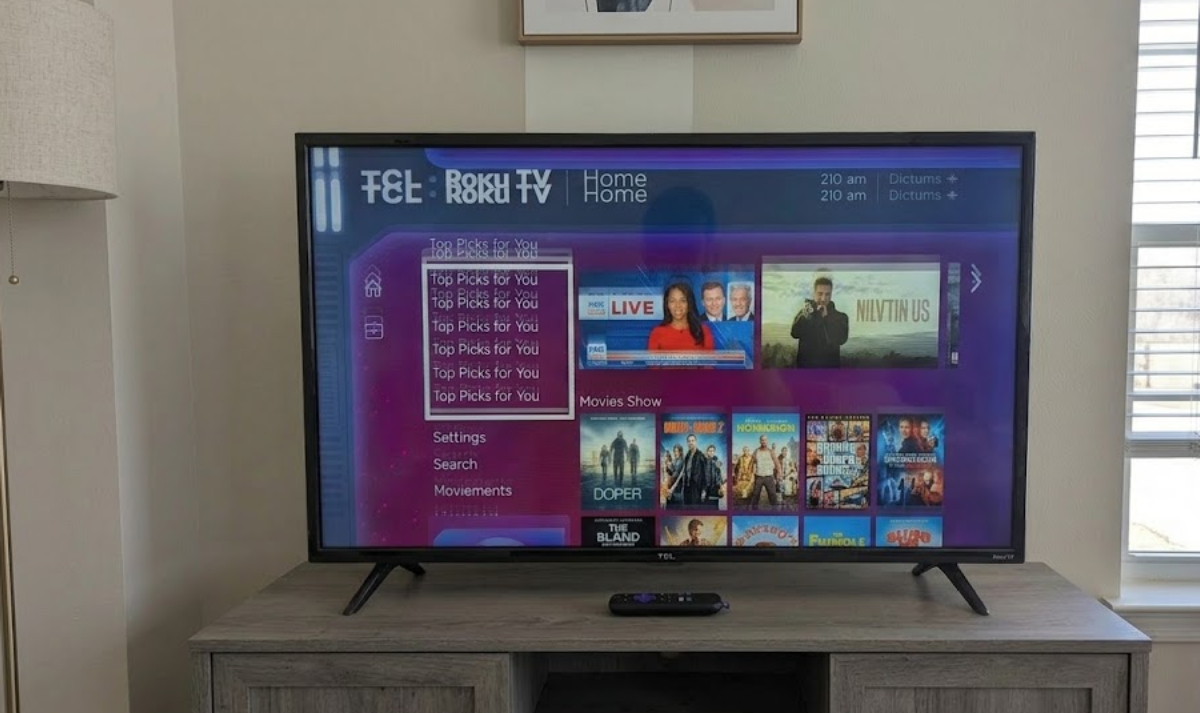
What causes a split or shifting TCL Roku TV screen?
When your TV screen splits in half or shows a double image, it usually means the main control part of your TV is not working properly.
Inside your TCL TV, a special computer chip called the Timing Controller (T-Con) board turns video signals into instructions for each pixel on your screen.
If those signals are interrupted, delayed, or out of sync, your screen may split, shift, or show strange horizontal lines. This usually happens for two main reasons:
- The chips on the board may wear out after years of use and heat.
- The LCD panel might be failing, or the small connections along the edges of your TV screen could be wearing out.
Here is how to fix the problem.
1. Prove it is not a simple software glitch
Before you worry about hardware repairs, check if it is just a temporary system crash.
By mid-2026, many smart TVs will have received major software updates. Roku, for example, added new interactive features and AI-powered recommendations in its latest update.
With all this new software, sometimes a simple system freeze can look like a hardware problem.
To check, press the Home button on your remote. If you still see the split screen and lines on the main Roku home screen, try a cold start power cycle:
- Turn off your TV and unplug it directly from the wall outlet.
- Go to your TV and press and hold the power button on the frame for 15 seconds. This helps drain any leftover electricity inside the TV.
- Leave the TV unplugged for at least five minutes.
- Plug it back in and turn it on.
If the image looks normal at first but splits again after the TV warms up, the problem is likely with the hardware.
2. Try easy DIY Fixes
If you are up for a quick weekend project, you can probably fix your TV for less than the price of a takeout meal. Since your TV is already broken, there is no harm in opening the back panel.
Always unplug your TV from the wall before taking off the back cover. Do not touch the large power supply board, since it can still hold an electrical charge even when unplugged.
- Clean the ribbon cables

Over time, heat can cause the flat ribbon cables between the main board and the T-Con board to become loose or dirty. Unclip these cables, gently clean the gold contacts with a cotton swab and a little rubbing alcohol, let them dry, and plug them back in firmly.
- Replace the T-Con board
If cleaning the cables does not help, you can buy a replacement T-Con board online. Websites like eBay sell used TV parts for most TCL models.
Look up your TV’s exact model number, which you can find on a sticker on the back. Replacement boards usually cost $15 to $30 and are easy to install.
3. Consider the tape fix hack
If a new board does not fix the problem, the LCD screen is probably failing. Usually, a broken LCD screen means the TV cannot be fixed. However, there is a well-known DIY trick called the “Tape Fix.”
When one side of the LCD panel fails, it sends bad electrical signals to the T-Con board, which ruins the whole picture.
Put a small, 2-millimeter strip of regular Scotch tape over a few specific copper pins on one of the ribbon cables. This blocks the bad signals, and the TV will skip the broken connections, bringing back a clear image.
Is it time to upgrade?
If you try all these steps and the screen is still split, it is probably time to let go. Budget TVs do not last forever, and a repair shop will likely charge more than a new TV costs.
The good news is that TV technology has improved a lot. A new budget TV will be brighter, sharper, and faster than your old one, so upgrading can be a great experience.