If you tried to watch live TV this week and noticed your YouTube TV channel buttons are not working, you are not the only one.
The usual “channel up” and “channel down” buttons on remotes have suddenly stopped working in the app, making it harder to flip through live channels.
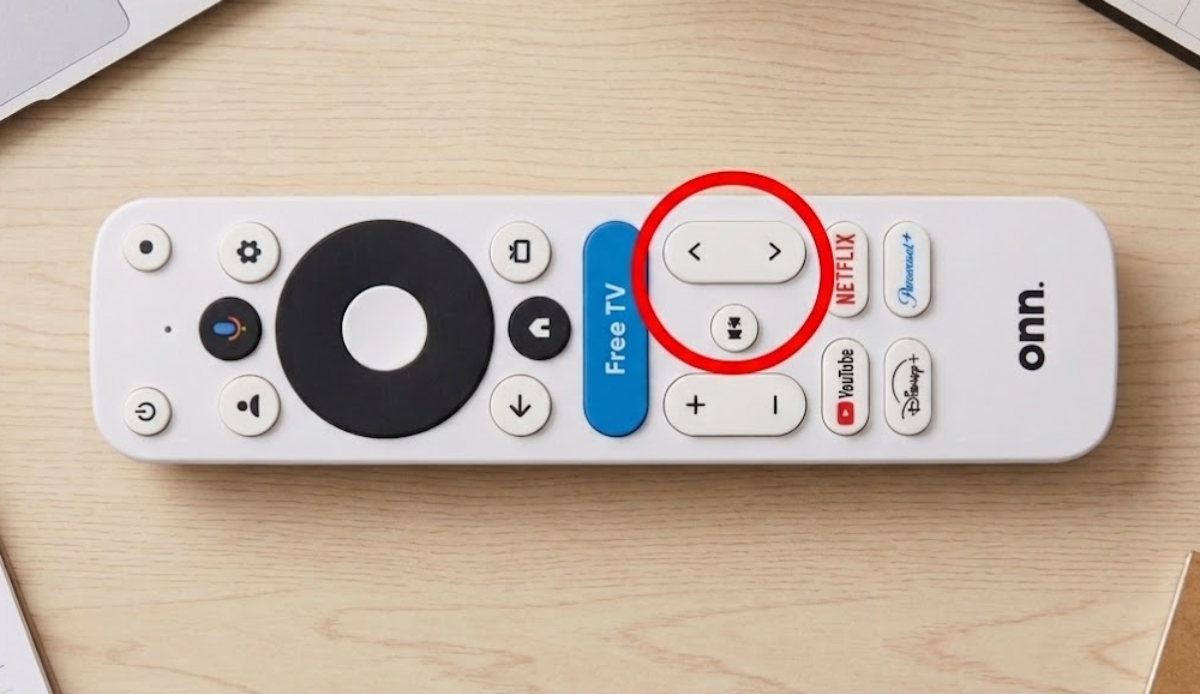
This problem mostly affects people using streaming devices with Google TV. Usually, you can just press the channel buttons on your remote to quickly switch between live stations.
At the moment, pressing those buttons does nothing in the YouTube TV app. What used to be a quick action now takes extra steps just to change the channel.
People have turned to online forums to figure out why their TVs are not working properly. This small glitch has disrupted evening routines and made channel surfing much less convenient.
Reddit users say this issue affects both high-end TVs and budget streaming boxes. Walmart’s popular Onn 4K and Onn 4K Pro devices are among those impacted.
Why haven’t basic troubleshooting steps fixed the problem?
Many frustrated users have tried everything they can to fix their remotes, but nothing works. Clearing the app’s cache, restarting devices, and even removing the remote batteries have not solved the problem.
Because these remote buttons still work on other built-in TV apps, users are sure the problem is with the YouTube TV app itself.
What actually caused this to happen?

It seems a recent update to the app is to blame. The channel-flipping feature stopped working right after YouTube TV changed how its multi-view split-screen handles live video feeds.
People with Samsung smart TVs report their remotes are working fine. The same goes for Sony and Fire TV remotes. So, the bug seems to only affect devices running Google’s software.
Google knows about the YouTube TV channel buttons issue
The good news is that help is on the way. Online community managers have confirmed that Google knows about the broken buttons and has technical teams working on a fix.
However, Google has not said exactly when the fix will arrive. Until then, you will need to use some workarounds to change the channel.
Instead of using the channel buttons, try these steps:
- Press the arrow pad on your remote to open the on-screen live guide.
- Scroll through the list of channels.
- Select a new show manually from the guide.
You can also hold down your remote’s microphone button to use voice commands, though this is not as quick or easy as using the channel buttons.