TCM is a good TV channel if you are a classic movie buff. However, since it is a pay TV channel that is not available as a standalone service, you need to activate it on your device to enjoy its content.
Below is a detailed guide on how to activate TCM on various supported devices:

1. Activate on Roku
To set up TCM on Roku:
- Go to Channel Store (or Streaming Channels) on your Roku device and search for “TCM.”
- Add the TCM channel to your Roku device, then launch the channel.
- Navigate to the “Sign In” option within the TCM Channel. An activation screen will appear with a unique activation code.
- Copy the code, then go to Tcm.com/activate on a different internet-connected device.
- Select “Roku” from the list of platforms on the activation page.
- Enter the activation code as it appears on your Roku screen, then click Submit.
- Follow the on-screen instructions until you receive a prompt to select your TV provider.
- Choose the provider with whom you have a TV package with the TCM channel from the available list, after which you will be redirected to your TV provider’s sign-in page.
- Sign in using your TV provider’s credentials (account username and password).
- Once the sign-in is successful, your Roku device will refresh. You can then go back to the home screen, launch the TCM channel and start watching the available content.
2. Activate TCM on Fire TV devices
You can watch TCM on Amazon Fire TV and Fire TV Stick devices. To activate the channel, follow the steps below:
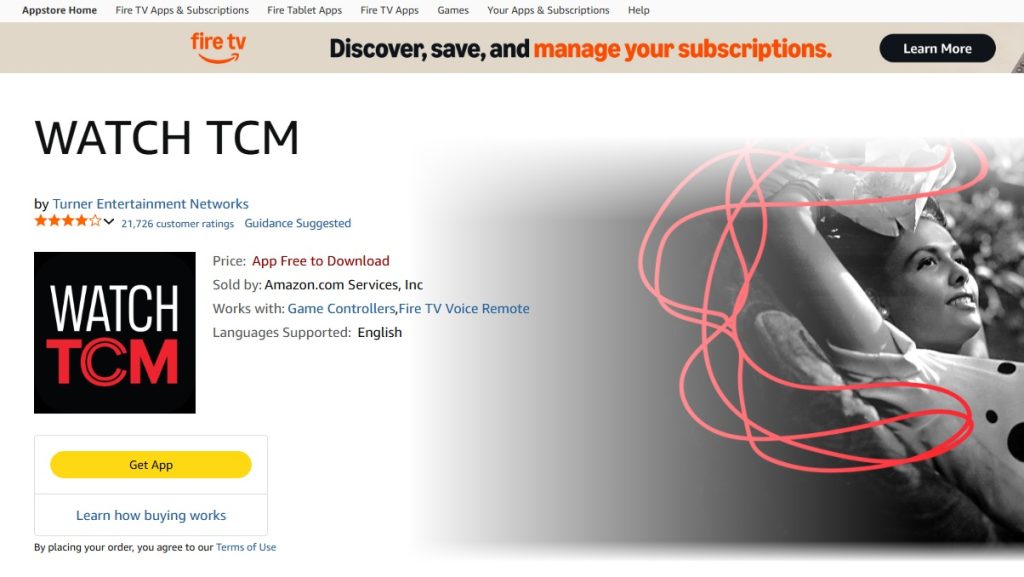
- Go to the home screen of your Amazon Fire device and select “Find”.
- Search for “TCM” in the search bar, then select “Get” or “Download” to install the app on your device.
- Once the installation is complete, select “Open” to launch the app, then accept the Terms of Use and Privacy Policy.
- Navigate to “Settings” on the TCM app interface and select “Sign In.” An activation screen will then appear on your Amazon Fire device.
- Copy the activation code and go to Tcm.com/activate on another internet-connected device.
- Choose “Fire TV” from the list of platforms, then enter the activation code from your device’s screen and click “Submit.”
- Choose your TV provider from the list of cable/satellite TV providers. You will then be redirected to your TV provider’s sign-in page.
- Sign in with your TV provider account credentials to complete the activation process.
- Go back to the Amazon Fire device’s home screen, launch the TCM app, and start watching.
3. Activate on Apple TV
To activate TCM on Apple TV:
- Go to your device’s App Store and search for the “Watch TCM” app.
- Download and install the app.
- Launch the app and navigate to “Sign In”. An activation screen will appear on your device.
- Copy the activation code and go to TCM.com/activate on another internet-connected device.
- On the activation page, select Apple TV as your platform, then enter the activation code and click “Submit.” A prompt will appear asking you to choose your TV provider.
- Select your provider from the available list, and you will be redirected to your TV provider’s sign-in page.
- Sign in with your account credentials to authenticate TCM on your device.
- Head back to your Apple TV device and start watching TCM.
4. Activate on the web
You can watch TCM on the web at TCM.com/watchtcm. However, you will still need to activate TCM in your web browser to access the content.
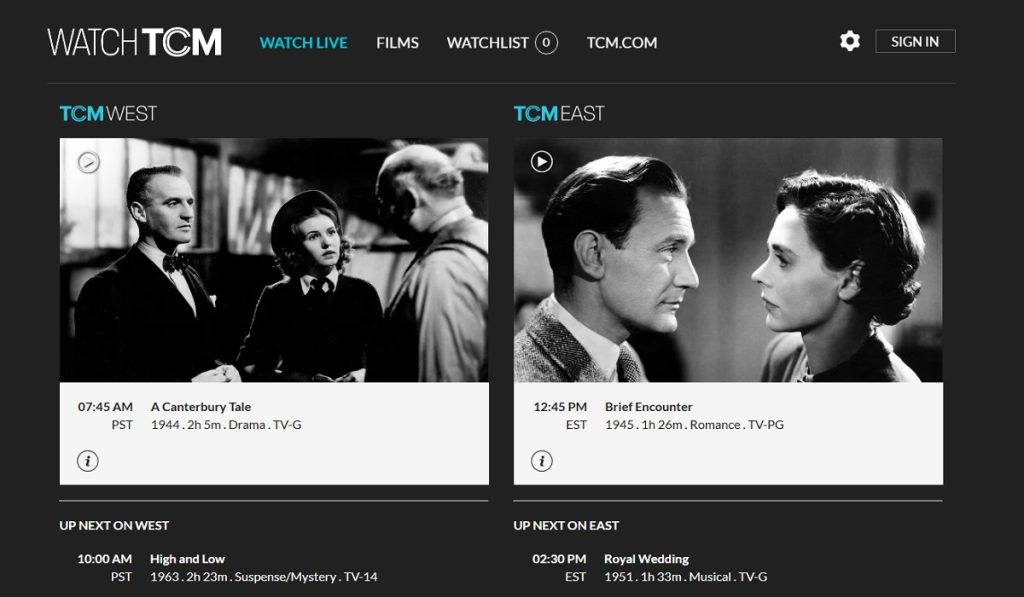
To set up TCM on the web:
- Go to TCM.com/watchtcm and click on “Sign In.”
- Select your TV provider from the available list. You will then be redirected to your TV provider’s sign-in page.
- Sign in with your TV provider account credentials.
- Head back to Watch TCM on your browser and start watching the available content.
5. Activate TCM on mobile devices
You can activate and watch TCM on your mobile device. To do this:
- Go to your mobile device’s app store and search for the “Watch TCM” app.
- Install the app on your device, then launch it.
- Tap the hamburger menu icon on the app’s interface, then go to Settings > Sign In.
- A prompt will appear asking you to choose your TV service provider. Depending on the device, an activation screen might also appear, with an activation code.
- If an activation screen appears, copy and enter the code on TCM.com/activate using a different device, then follow the on-screen instructions to complete the process.
- Next, choose your TV provider from the available list and sign in with your account credentials.
- Go back to the TCM app on your mobile device and start streaming.
Other ways to watch TCM
Activating TCM on the devices above lets you watch both on-demand and live TCM content. However, there are other ways you might use to watch TCM, including:
- Chromecast: TCM currently does not support many Smart TV devices. However, you can use Chromecast with your Android devices to watch TCM on Google/Android TVs or other devices that support Chromecast.
- Streaming platforms: The TCM channel is available on several streaming services, including Hulu + Live TV, Sling TV, YouTube TV, and DirecTV Stream. You can also get curated on-demand TCM content on Max and Prime Video.