With so many entertainment devices available today, it can be hard to know how everything works. A vSeeBox is a small media player that connects to your TV and streams live shows, movies, and sports over the internet.
It may look like popular devices such as Roku, Apple TV, or Amazon Fire Stick, but it works a little differently inside.
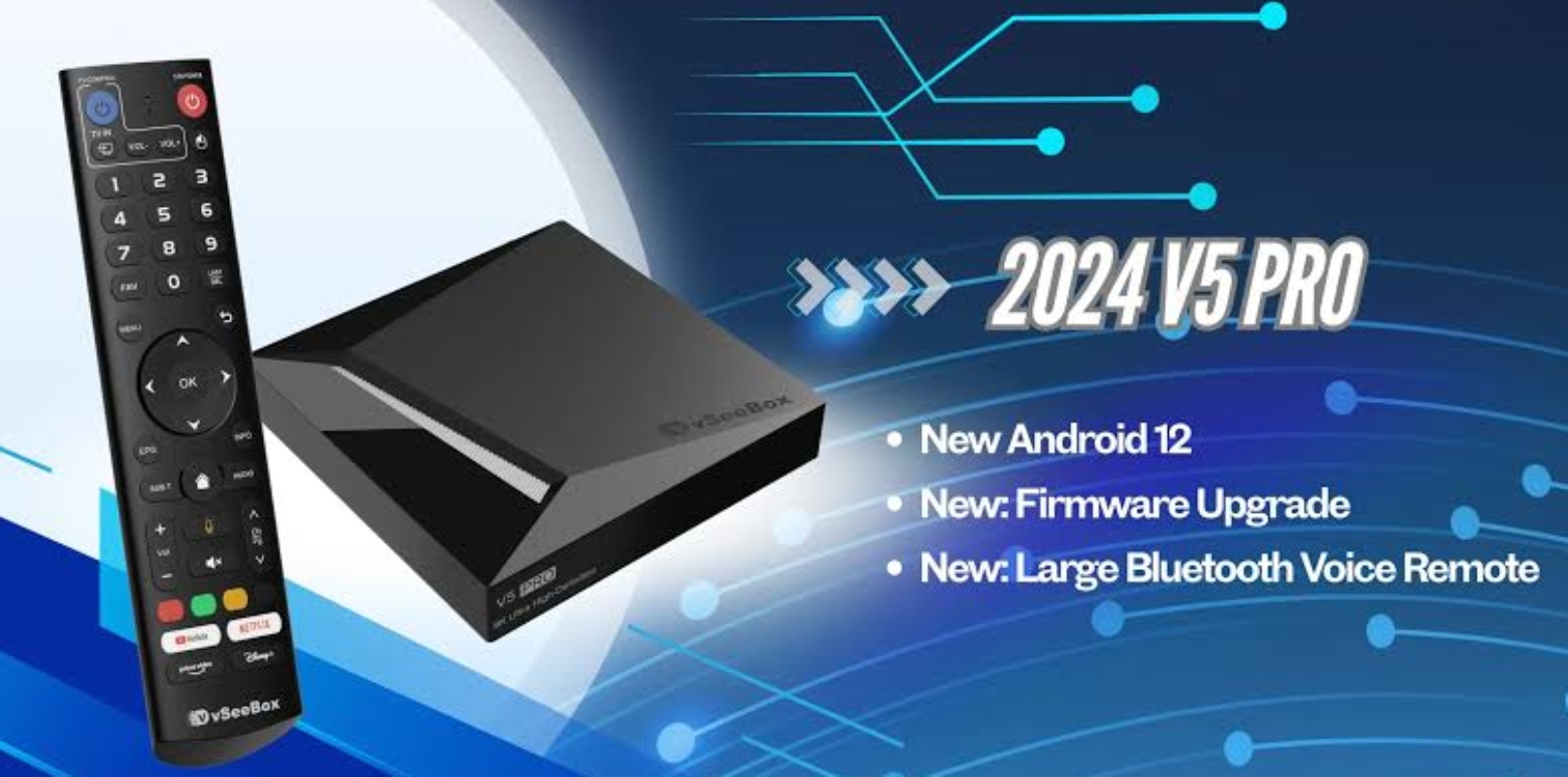
What is a vSeeBox?
A vSeeBox is a set-top box that runs on the Android TV operating system. You connect it to your TV’s HDMI port, and it uses your home internet to stream video.
Instead of using coaxial cables or satellite dishes like regular cable boxes, a vSeeBox uses Internet Protocol Television (IPTV) technology. It sends video as digital data over your Wi-Fi or Ethernet network to your TV.
How a vSeeBox Works
Setting up the box is easy. The device is a small rectangle that sits next to your TV.
- Plug one end of the HDMI cable into the box and the other end into an open HDMI port on your TV.
- Use the included power adapter to plug the device into a regular wall outlet.
- You can connect the box to your network with built-in Wi-Fi, or use a network cable in the Ethernet port for a more stable connection.
After setup, the device starts with a home screen that looks like a smart TV. It includes a Bluetooth remote, which often supports voice commands so you can search for shows or change settings by speaking into it.
The software and pre-installed apps
The vSeeBox stands out from other streaming devices because of its software. Instead of making you log in to paid services like Netflix, Hulu, or Prime Video, it comes with its own streaming apps already installed.
These built-in apps act as media directories. When you open one, it connects to servers that provide live TV channels, sports, and on-demand videos.
The box plays these streams in real time and shows them on your screen in high-definition or 4K quality.
Since the box uses Android TV, you can also download regular apps from the Google Play Store. This means you can use it for YouTube, games, and other official streaming services.
What are the features of the vSeeBox?
The device includes several built-in tools to make navigation easy for the average user.
- Electronic Program Guide (EPG)
An on-screen TV guide shows what’s playing now on live channels and lists upcoming shows.
- Playback and catch-up
Many channels let you catch up on shows from earlier in the week, so you do not have to record them ahead of time.
- Multi-screen support
Some models let you watch more than one channel at once, which is great for following several sports games at the same time.
- Voice search
The remote lets you search for movies or channels just by speaking simple voice commands.
Storage and performance
Modern vSeeBox models have quad-core processors, dedicated graphics chips, and fast flash storage. This hardware keeps menus quick and helps videos load smoothly without a lot of buffering.
The latest models have 64GB of storage and updated Android systems, so there’s plenty of space for apps and smooth performance.
What to consider before buying
Watching live TV without a monthly subscription is appealing, but there are a few things to consider before buying.
First, the device needs a fast and reliable home internet connection. If your Wi-Fi is slow, live video may freeze or buffer.
Second, the free streaming apps depend on third-party servers for content. While the hardware is a standard Android media box, the apps may sometimes have outages or changes in available channels.
A vSeeBox is a small, easy-to-use media player that turns any regular TV into a smart TV. With Android and built-in streaming apps, it lets you watch live TV, sports, and movies using your home internet.
If you want a simple device with lots of viewing options, the vSeeBox is an easy alternative to traditional cable.