On July 1, 2026, Plex surprised everyone by tripling the price of its Lifetime Plex Pass from $250 to $750. This big jump has made many people rethink their options, turning the usual Plex vs Jellyfin debate into an important choice for anyone who streams their own movies and music.
Plex also introduced a new $250 pass that only lasts five years, so many budget-minded families are now wondering if it is time to look for other options.
Why people are opting for Jellyfin
For years, Plex made it easy to organize your videos, photos, and music so you could stream them to your TV or phone. But as Plex focused more on public streaming channels and tracking user data, many longtime fans started to feel left out.
The $750 price tag was the last straw for many, and most users now say they will not pay it.
That is where Jellyfin comes in. Unlike Plex, Jellyfin is totally free and open-source. There are no paid upgrades, no monthly fees, and no ads at all.
Jellyfin runs only on your home network, so it does not track what you watch or make you log in through another company’s website. If you care about privacy and want to avoid ongoing bills, it is a great option.
If you tried Jellyfin before and thought it was clunky, the developers have worked hard to improve it. The software recently got a big update that rebuilt its backend database from the ground up.
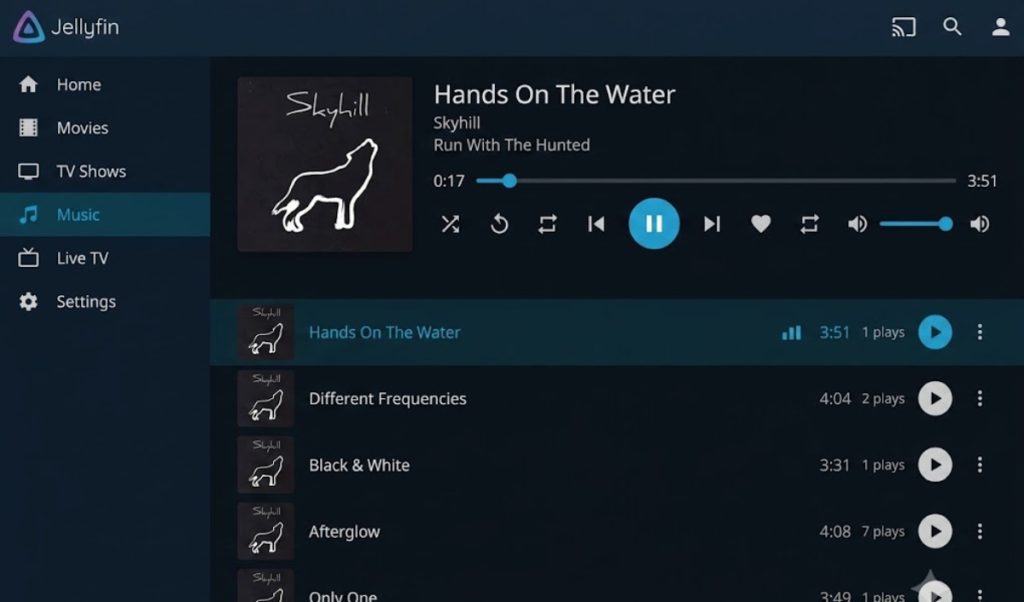
Now, search bars are faster, library menus load right away, and the desktop player has been rewritten to stop stuttering during high-quality videos.
Why Plex still dominates the home media world
Even so, Plex still has some important advantages that keep people from switching. For example, transcoding (which automatically shrinks a big 4K movie so it plays smoothly on your phone, even with a weak signal) works automatically on Plex.
With Jellyfin, you need some technical know-how to set up transcoding, including adjusting your computer’s graphics drivers. Also, since Plex is so popular, it has official apps for almost every smart TV, PlayStation, and Xbox. Jellyfin users sometimes have to use third-party apps to get things working on older TVs.
To help you decide, here is a quick look at the main differences:
- The cost
Plex has a free basic version, but advanced features now require a subscription that can cost up to $750 for a lifetime license. Jellyfin is completely free for everyone, with no upgrades or hidden fees.
- Privacy
Plex requires an online account and tracks certain watch data. Jellyfin keeps everything local, requiring no internet connection or external servers to log in.
- Ease of use
Plex is very easy to set up and works smoothly on almost every TV and game console. Jellyfin lets you customize a lot, but you will need to do some manual setup to get advanced video features working just right.
Plex vs Jellyfin, should you switch?
If you mainly want to stream movies to your family at home, Jellyfin is a great, budget-friendly choice that’s completely free.
But if you share your library with relatives who are not very tech-savvy or live far away, or if you do not want to spend time setting up your computer, Plex’s easy setup might still be worth the cost. Just avoid the $750 lifetime pass and stick with a basic plan.