Most people focus on monthly costs or channel options when choosing a TV service, but the remote is what you use every day. Here, we compare two popular remotes: the DirecTV Gemini Air and the Comcast Xfinity XR15.
Both remotes let you change channels quickly and use voice commands to find your favorite shows, but they feel quite different in your hand.
1. Design and ergonomics
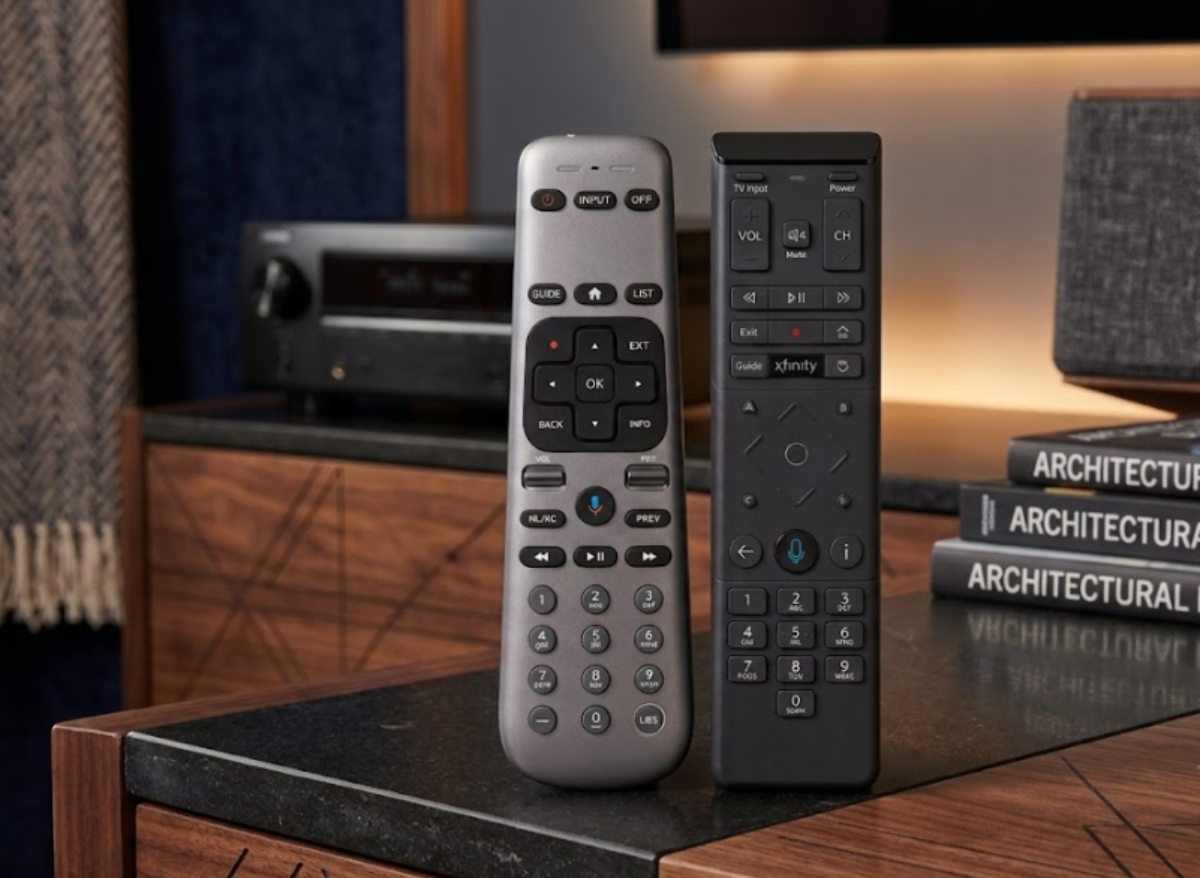
How a remote feels is important when you are relaxing on the couch. The DirecTV Gemini Air remote is long, slim, and comfortable to hold.
It connects via Bluetooth, so you do not have to aim it at the TV box. The buttons also light up on their own in the dark, which makes it easy to use during late-night movies.
The Comcast Xfinity XR15 remote has a blocky shape with sharper edges. It fits well in your hand and makes it easy to control the TV’s volume and power.
However, its buttons are not as bright as those on the DirecTV remote, and the flat center pad can make it easier to accidentally press the wrong button.
2. Voice search
Searching for movies with your voice can save time. The DirecTV Gemini Air remote uses Google Assistant.
Just hold the microphone button to ask questions, look up actors, open apps like Netflix, or check the weather. Google Assistant understands you well, even if you talk fast or have a strong accent.
The Comcast XR15 remote uses its own voice system. It works well for simple TV commands like “find action movies” or “turn on subtitles.”
It responds quickly and reliably for TV commands, but it cannot answer general questions or control smart home devices as Google Assistant does on DirecTV.
3. Keypad layout and navigation
If you like using number buttons to go straight to a channel, both remotes offer this feature. The DirecTV Gemini Air remote has a full number keypad (0-9) at the bottom.
It also has clear buttons for “Guide,” “DVR,” and “Previous Channel,” which will feel familiar if you’ve used satellite TV before.
The Comcast XR15 also has a full number keypad, but its layout is a bit different. The volume and channel controls are near the top, and the number buttons are at the bottom.
If your hands are smaller, reaching across the whole remote to change channels with one hand might feel awkward.
4. Setup and pairing
Both remotes are easy to set up. The DirecTV remote pairs automatically when you turn it on and quickly sets up your TV volume. It connects with Wi-Fi and Bluetooth, so it works well from anywhere in the room.
The Comcast XR15 remote is very sturdy. If you often drop your remote, its thick plastic shell can handle it without breaking. It also has helpful accessibility features, like instant voice guidance for people with vision problems.
DirecTV Gemini Air Remote: Pros and Cons
Pros
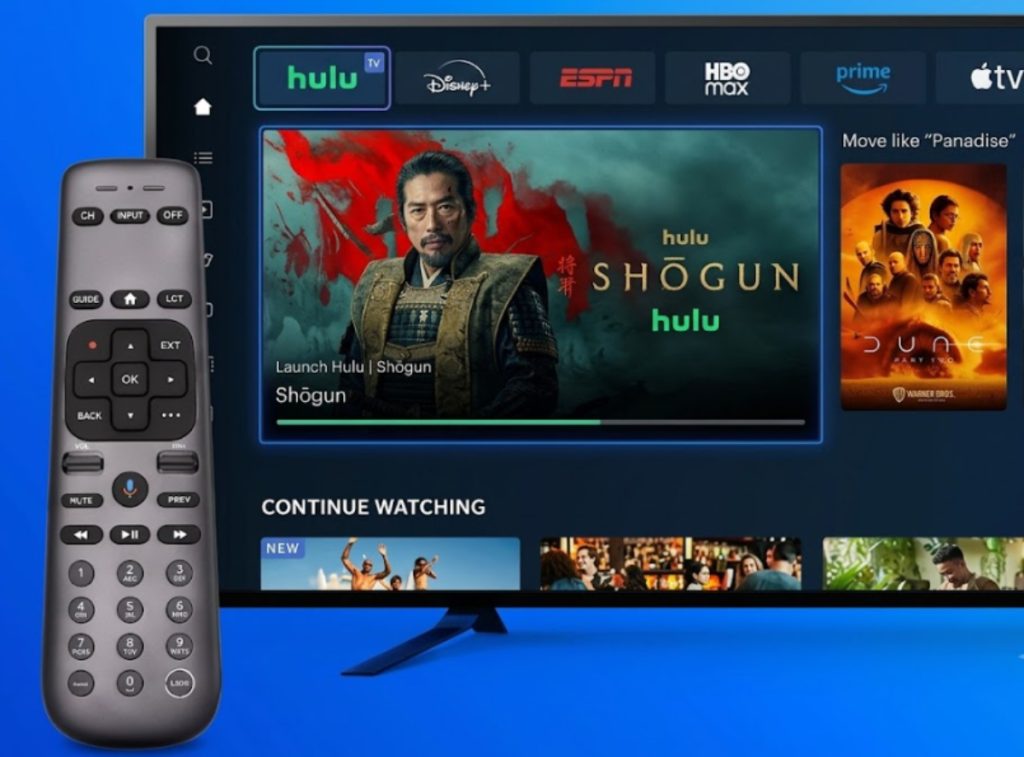
- The buttons light up automatically when you move the remote, so it is easy to use in the dark.
- The voice feature can control smart home devices, answer web questions, and work with streaming apps without any trouble.
- The 0-9 number keys and dedicated Guide and DVR buttons are great for people who like to surf channels the old-fashioned way.
- It works well even if your TV dongle is hidden behind the screen.
Cons
- The slim plastic design is not as easy to grip and might slip out of your hand more easily.
- The button lights turn off quickly after a few seconds to save battery.
Comcast Xfinity XR15 Remote: Pros and Cons
Pros
- The tough outer shell can handle being dropped on hard floors in the living room.
- Changing cable channels, filtering the guide, and turning on closed captions all work very quickly.
- The “C” button shows sports scores over live TV, and the “B” button opens accessibility menus.
- Its tapered shape fits comfortably in your hand.
Cons
- The backlit letters are dim and hard to read in low light.
- The flat navigation ring can make it easy to press the wrong button when scrolling quickly through menus.
- The built-in voice system cannot handle questions that are not about TV or controlling smart home devices.
DirecTV Gemini Air vs. Comcast Xfinity XR15: Which one should you get?
Both remotes work well for controlling your TV, but they suit different needs:
- Pick the DirecTV Gemini Air Remote if you want buttons that light up in the dark, strong Google voice search, and a classic channel-surfing experience.
- Pick the Comcast Xfinity XR15 Remote if you want a sturdy remote with fast TV commands and simple volume controls.