You can’t watch your local team on a standard MLB.TV subscription because the platform is mainly an out-of-market package. If you are inside your team’s home television territory, live local games are usually reserved for local TV rights. So, fixtures will air on that team’s in-market streaming option instead of the regular MLB.TV package.
Below is how MLB decides whether a team counts as local for you, why even some non-local games can still disappear, and more.
What MLB.TV actually gives you
MLB is built to show only you every out-of-market game live or on demand. It does not cover every game in every location.
That is why you probably often get confused. Even if you pay for a league-wide streaming product, you will always see a blackout message during your home team’s matches.
This is not because the game does not exist. The platform is telling you that the standard MLB.TV subscription is not the local product for that game in that location.
Why your local team’s fixtures get blacked out
The short answer is rights. MLB separates out-of-market streaming rights from local viewing rights. The normal MLB.TV package handles the out-of-market side.
Your local territory is handled by local TV distribution or the club’s direct-to-consumer option. That is why a team can be available live on standard MLB.TV for a fan in another state, but blocked for a fan who lives in that team’s home territory.
This is also why the blackout does not mean MLB thinks you are not a fan. It means MLB treats you as a local viewer, and local viewers are routed toward local distribution instead of the standard out-of-market package.
How MLB decides whether a team is local for you
Blackout rules are based on your physical location, not your billing address and not the team you personally support. This is determined using factors, including your IP address. Hence, these rules follow where you are when you stream, not your home address or credit card address.
So if you live in a team’s home television territory, that team will usually be blacked out on standard MLB.TV. If you travel outside that territory, you may be able to watch on standard MLB.TV again.
A blackout applies even when your team is away
This is one of the most frustrating parts of the rule. Home television territory blackout restrictions apply whether a club is home or away. Blackouts do not even depend on whether or not the game is televised in that club’s home territory.
If you are inside your team’s home territory, all away MLB games will still be blocked on standard MLB.TV. The blackout is tied to territory, not just stadium location.
National games are a separate NBLTV blackout problem
Even if you pay for your team’s local in-market streaming option, some games can still be unavailable because of national exclusives. Select regular-season games that are exclusive to national MLB media partners are not included in MLB.TV or a Club.TV subscription.
So there are really two different layers to understand:
- First is the normal local blackout on standard MLB.TV.
- Second is the national exclusive blackout that can hit even local streaming packages.
That is why you sometimes buy a local package and still hit another wall on certain nights.
What you can still watch when a game is blacked out
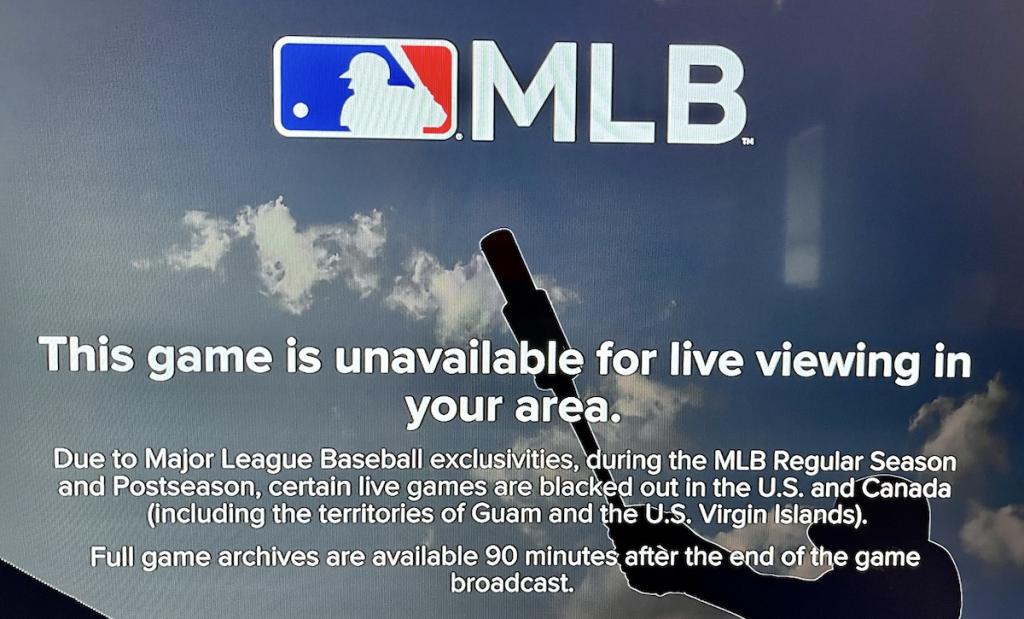
A blackout does not shut off everything. MLB’s blackout policy is that on-demand archives become available 90 minutes after the game ends. Also, live audio remains available even when the live video is blocked.
So if you hit a blackout, you still have a few useful options:
- Listen to the game live through MLB audio
- Wait for the archived video to unlock after the game
- Watch highlights, clips, and other non-live coverage inside MLB’s platform
That may not be the answer you want if you were planning to watch live, but it sheds light because many fans assume a blackout means the game is gone completely. It usually is not. It is the live video that is restricted.
Some places have more than one local blackout
Another reason MLBTV blackouts feel so confusing is that your location may line up with more than one “local” territory. MLB has a dedicated local options page for overlapping markets, and it also gives fans a ZIP code checker to see which teams are restricted from live viewing in their area.
This is why two fans in different ZIP codes could have very different experiences with the same subscription. One fan may only lose one team. Another fan may lose more than one because of how MLB maps home territories.
What has changed in 2026
The good news is that MLB has moved further toward local streaming in 2026. The league says all 30 teams now have a direct-to-consumer option available. 22 clubs have in-market, blackout-free streaming subscriptions available through MLB’s app.
But that does not mean blackouts are gone. It means MLB has created more official local options around them. Standard MLB.TV is still an out-of-market product, and local streaming still depends on the team and the market.
How to check your blackout status before you subscribe
You have a few official ways to avoid guessing. The best step is to check your ZIP code in MLB’s blackout checker before you spend money. That will show which teams are restricted from live viewing where you are.
So, before you buy, do these three things:
- Check MLB’s ZIP code blackout tool
- Find out whether your team offers a local in-market streaming package
- See what games are on a national exclusive partner like FOX, ESPN, Apple TV, TBS, NBC or Peacock