The F1 TV multiview feature lets you watch more than one Formula 1 feed on the same screen simultaneously.
So you won’t be restricted to the main world feed or only one onboard. You could build your own layout and follow several angles at once.
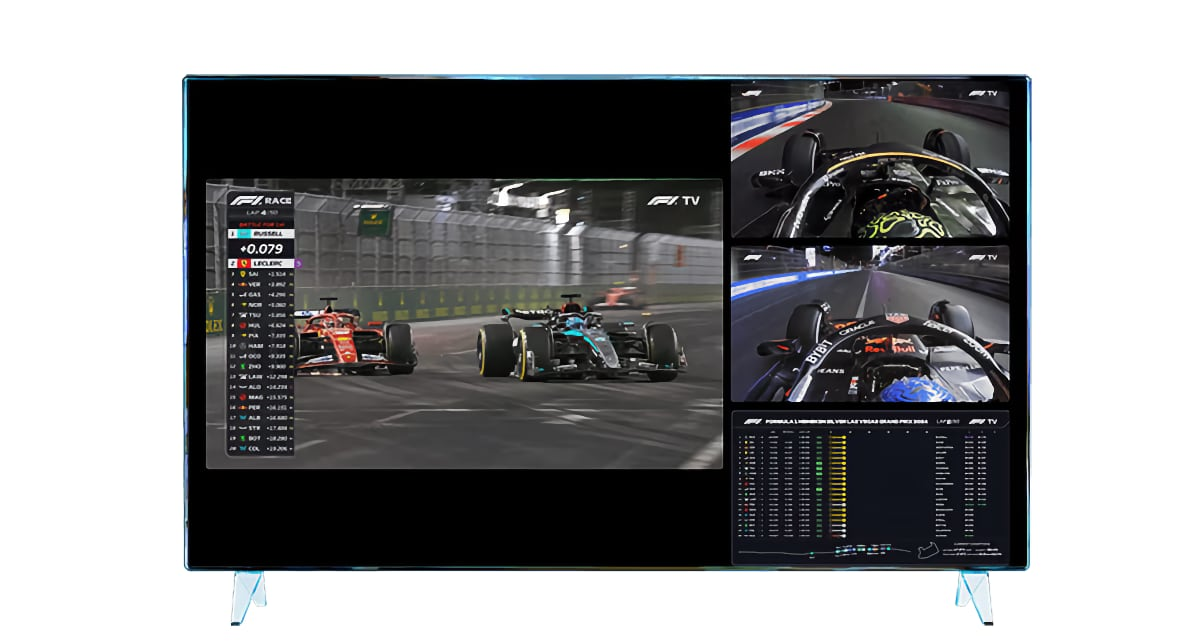
Here is everything you should know about this feature, including access and how it works.
What the F1 TV multiview feature is
Like the name suggests, multiview is a split-screen viewing mode and is only available inside F1 TV Premium. With this, you could watch up to four live feeds at once.
What’s more, you could also customize the layout. This is achieved by choosing feeds such as onboard cameras, pit-lane coverage, or driver feeds.
For instance, you could have a setup that looks like this:
- Partition 1: The main world feed in the biggest window
- Partition 2: Your favourite driver’s onboard in a second window
- Partition 3: Another driver’s onboard in a third window
- Partition 4: Live timing or another race-related feed in the fourth window
The same setup is available on all F1 live and on-demand content where supported. So it is not only for the live race itself.
Which plan do you need for the F1 TV multiview feature?
You need F1 TV Premium for the official multiview feature. The plan includes everything in F1 TV Access and F1 TV Pro, plus Premium-only features such as Multiview, 4K UHD streaming, and multi-device support.
That also means F1 TV Pro is not the same thing. Pro already gives you live sessions, onboard cameras, team radio, and live timing. But Premium goes one step further by adding the official multiview experience.
So if you already have Pro and are wondering why you cannot find Multiview, that is the likely reason.
Which devices support multiview?
The feature is currently available on iOS, tvOS, Google Chrome, and Android.
In other browsers, such as Safari, the multiview toggle is not supported and appears greyed out. Also, Roku is currently not supported.
So if you try it in the wrong browser or OS and it seems missing, that may be a software limitation, not a subscription problem.
How to use the F1 TV multiview feature
The official steps are simple once you are on a supported device:
- Open an F1 session: Start a live F1 session or supported on-demand F1 content inside F1 TV Premium on a supported device. F1 says multiview works across F1 live and on-demand content where the feature is supported.
- Tap the correct icon: Look for the multiview icon with four small squares inside a circle. That is the official entry point into this feature.
- Choose the coverage you want: Add the 4 video feeds you care about. These could be the main race feed, an onboard camera, another driver feed, pit-lane coverage, or live timing.
- Arrange your grid: Multiview is a custom grid, so the point is to build a layout that fits how you like to watch. Some fans will keep the main feed large and everything else smaller. Others may give more space to onboards or timing.
If you want to go back to a simpler single-feed view, go into Settings and toggle Multiview off.
Note: On Android, turning off multiview also turns off all Premium features. So, you should only turn it off if you really want to disable the Premium feature set on that device. If you simply want to stop using the split-screen layout for the moment, it is better to close out of multiview rather than changing settings more broadly.
F1 TV multiview feature vs watching on multiple devices
These sound similar, but they are not.
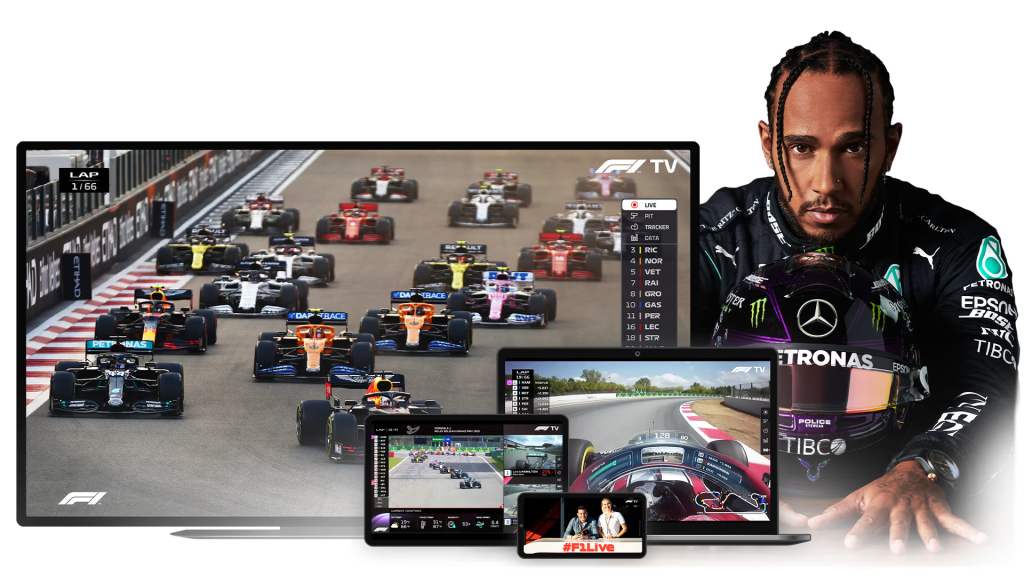
On Multiview, you are still on one device and one screen, but you divide that screen into multiple feeds. With multi-device streaming, you spread F1 TV across several separate devices at the same time.
F1 Premium includes both ideas, but they solve different problems: multiview is for one better screen, while six-device support is for more total screens.
So if your goal is to watch the main race on the TV, one onboard on a tablet, and timing on a laptop, that is using Premium’s multi-device allowance. If your goal is to fit those pieces into one screen, that is multiview.
The F1 TV multiview feature vs MultiViewer
F1 TV multiview is the official built-in feature from F1 TV Premium. MultiViewer is a separate third-party app that many hardcore fans have used for desktop setups.
The third-party MultiViewer site’s app lets you watch multiple streams at once, sync them, and build more advanced layouts.
So if you see old advice online telling you to download MultiViewer, that is not the same thing as the official F1 TV Premium feature. The official version is simpler and built into F1 TV itself. MultiViewer is a separate tool for people who want desktop customization.