CTV is one of the top free-to-air broadcasts you can watch in most Canadian regions with a TV antenna. Therefore, it can be very frustrating to find that the channel is not showing on your TV.
Several factors, such as a poor antenna connection, signal interference, weather conditions, and more, can cause CTV and other channels to not appear on your TV. The good news is that most of these problems are easy to troubleshoot.
If CTV isn’t showing on your TV, here are some top troubleshooting tips and solutions to restore the channel’s signal.
Basic troubleshooting guide
Before you begin any advanced solutions, you can attempt the following simple tips to restore the CTV channel signal:
- Ensure that you have selected the right input source for your TV. CTV might not be showing because you have chosen the wrong input source, say, HDMI.
- Check that the antenna is securely connected to your TV; a loose connection can lead to a weak or no signal.
- Check whether other channels are missing or if it is just CTV; if it’s only CTV, you may be dealing with a blackout.
- Confirm if you are experiencing a signal outage. You can check with friends or neighbors, call CTV customer support, or check online platforms for reported outages.
If none of these tips work, you can try the following advanced solutions:
1. Check your antenna connection
One of the top reasons CTV might not be showing on your TV is an issue with your antenna connection. Therefore, before trying other solutions, ensure that the connection is working correctly.
You can start by confirming that your antenna’s coaxial cable is not damaged. Check for any signs of damage (frayed wires, cracked insulation, etc.) or wear and tear, and replace the cable if you suspect damage.
Next, ensure your antenna connector and the antenna port on your TV are not damaged, for example, a bent connector or a corroded port. If you see any signs of physical damage, replace the affected component(s) or hire a technician to do so.
2. Adjust the antenna location
Signal interference and poor (weak signal) are other top reasons why you might not be seeing CTV on your TV.
If you are using an outdoor antenna, interference can be caused by physical obstacles such as buildings, trees, hills, and other geographical features that block your antenna’s clear line of sight to broadcast towers.
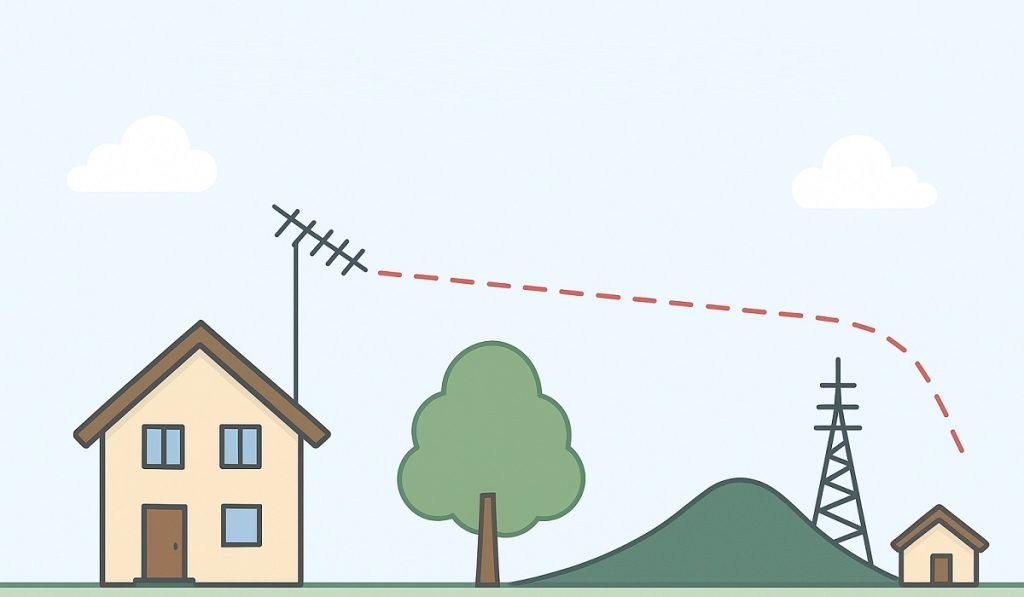
On the other hand, if you have an indoor antenna, the issue can be caused by thick walls, metal objects, or electrical devices such as Wi-Fi routers, microwaves, Bluetooth speakers, cordless phones, baby monitors, and LED lights.
One of the top ways to fix signal interference is to adjust your antenna’s position.
For an outdoor antenna, you can adjust the height by raising it. The higher elevation will provide a clear line of sight to the broadcast towers, resulting in stronger signals.
For an indoor antenna, you can improve the signal by moving it to a higher location or closer to a window. Additionally, you should avoid placing the antenna in rooms with thick walls or near electronic devices that can cause electromagnetic interference.
3. Rescan your TV channels
From time to time, free-to-air channels will change their frequencies, which can cause them to disappear from your lineup. When this happens, you will need to rescan your TV to restore the lost channel(s).
To rescan your TV:
- Go to settings.
- Look for an option with “channel” or “Tuner.”
- If prompted, select “Antenna” or “Air” as your channel source.
- Choose an option labelled as “Channel Scan,” “Auto tuning,” or “Auto Program.”
- Press “Ok” and let your TV finish scanning the channels.
Once scanning is complete, review the received channels and confirm that CTV has returned. You might also discover that new channels have been added to your lineup.
4. Use a signal amplifier
A weak signal is another reason why CTV might not be showing on your TV. The issue can be caused by several factors, such as being too far from the TV broadcast towers or using a signal splitter (which can cause signal degradation).
One of the best ways to address a weak signal is to use an amplifier, which can boost signal strength. Alternatively, you can choose an antenna with a built-in amplifier to ensure you receive strong signals.
To get the best results with an amplifier, you should place it as close to the antenna as possible. This will ensure the signal is boosted before it is degraded along the coaxial cable.
Note: Avoid using an amplifier if your signal is strong, as it can amplify noise, distort the signal, or cause a signal overload.
Therefore, if CTV is not showing and you are using an amplifier, try disconnecting the amplifier and connecting the antenna directly to your TV.
Apart from using a signal amplifier, you can also fix weak signals by removing a signal splitter (if you are using one). Additionally, you should shorten your antenna coaxial cable if it is too long; the longer the cable, the more the received signal will degrade.
6. Power cycle your TV
A glitch with your TV can also cause the CTV channel to disappear from your TV lineup or the signal to be lost. In such a case, you can restore the signal by resetting your TV.
The best way to reset your TV is to power cycle it:
- Unplug from the electrical outlet.
- Press and hold the TV’s power button (not the remote) for about 30-60 seconds to drain any residual power.
- Plug your TV back into the electrical outlet and turn it on.
After power-cycling, check your channel lineup to see if CTV has returned. You may also need to rescan your TV to restore the channel in your lineup.
7. Replace your TV antenna
Your current antenna may be the reason CTV is not showing on your TV. This can happen if your antenna is old, malfunctioning, or weak, resulting in poor reception.
To fix this issue, consider replacing your antenna with a newer one. You can choose from several different antenna options when replacing one.
For example, for an indoor antenna, you can choose an amplified model to boost weak signals. Alternatively, you can select a non-amplified version if you are in an area that receives strong TV signals.
If your home is far from TV broadcast signals, an outdoor, roof-mounted antenna can offer the best signal reception.
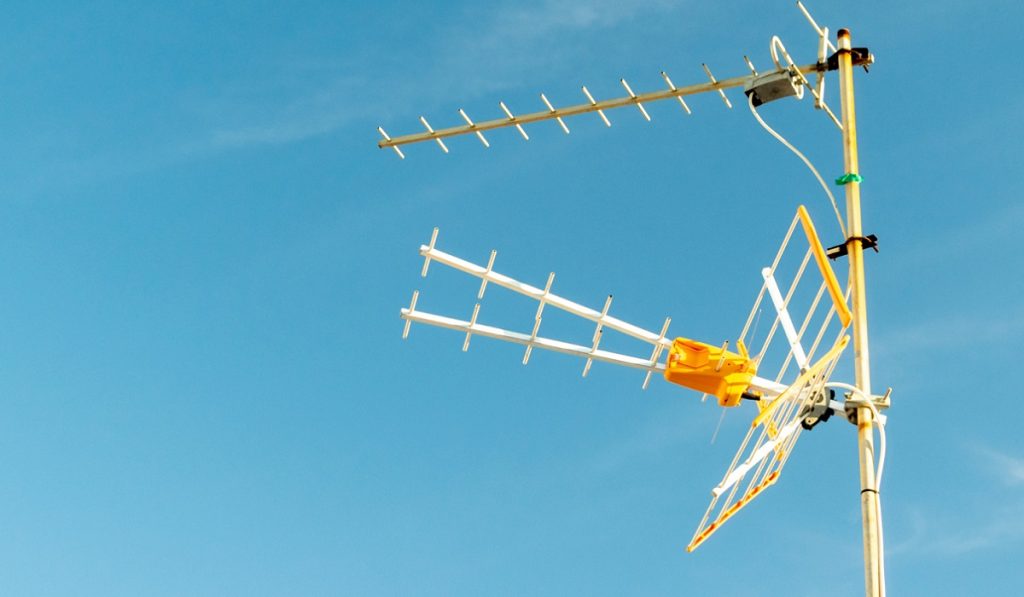
In addition to the antenna, replace any old or malfunctioning components in your antenna system, such as a signal splitter or amplifier. That’s because, as these components age, they experience wear and tear, which can degrade your antenna’s signal.
8. Call a technician
If CTV is still not showing after trying the above solutions, you may need to call a licensed technician, especially if you are not receiving other channel signals as well.
While rare, your TV’s internal tuner hardware could become damaged. In such a case, you will need your tuner repaired or replaced by an expert.
A technician can also provide professional signal measurement, helping diagnose issues such as damaged or faulty antenna equipment, terrain problems, signal interference, and more.