Nothing is more frustrating than watching TCL Roku TV then suddenly your remote stops responding.
Fortunately, many remote issues aren’t TV hardware failures. Most of them are from simple things you can fix at home.
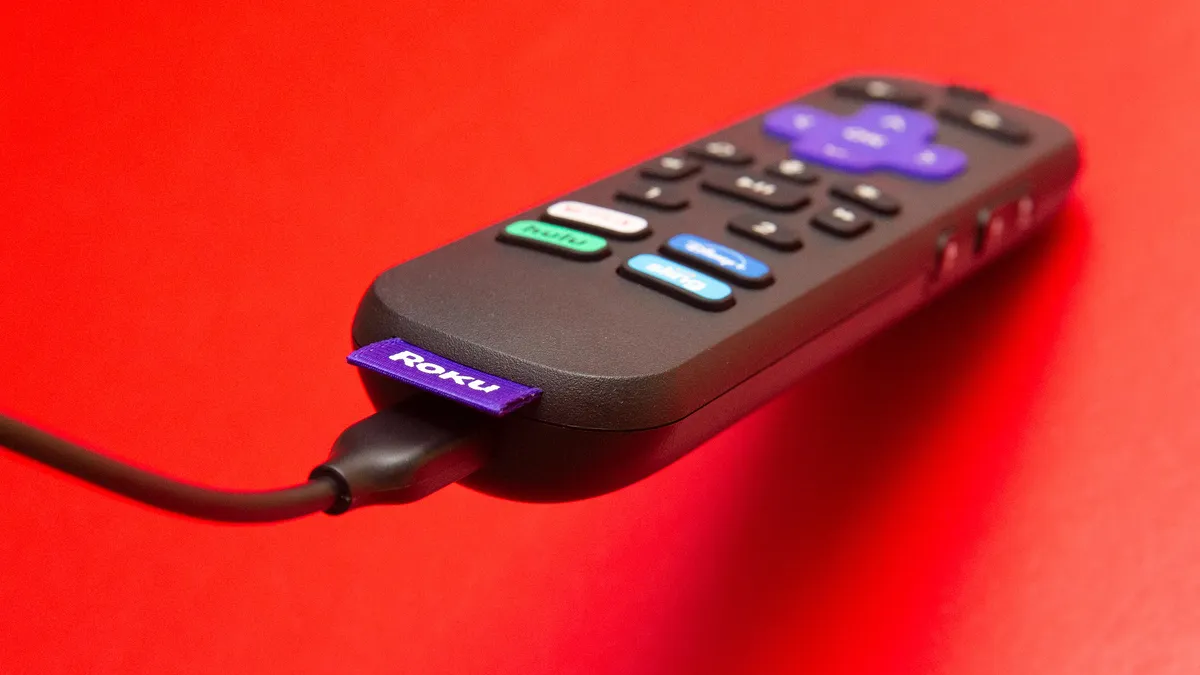
Quick ways to fix a TCL Roku TV remote that isn’t working
Here are proven ways to fix a TCL Roku TV remote that isn’t working.
1. Replace or check the remote batteries
Old, weak, or poorly installed batteries are by far the most typical cause of remotes stopping working. With such, you will have low power, hence your remote won’t send a strong enough signal.
To have it working again, replace them with new ones.
Important: Never just top off one new then leave one old battery; replace them fully. Also, ensure you match the + and – symbols in the compartment, and they are from the same manufacturer.
2. Clean your remote
Dirt accumulates around the buttons and your remote’s IR transmitter. The physical build-up blocks the infrared (IR) light from being emitted properly on traditional remotes. It may also cause buttons to stick and not register.
We recommend the following for this case:
- Inspect your remote surface for dirt, sticky residue, or visible gunk around the buttons and at the front where the signal emits.
- Use a soft cloth and lightly wipe around each button and the front of the remote. Do not use water; instead, use spirit as it evaporates and won’t damage your gadget.
- Press all of your buttons several times. This will dislodge any internal debris trapped under the caps.
- Try the remote again.
3. Perform an Infrared emitter test
If you have an infrared remote (these are the ones that must be pointed directly at your set for them to work), the gadget isn’t truly working unless it emits light from its front.
You can’t see IR with your eyes, but if you possess a digital camera or smartphone camera, you’ll see. Here is how:
- Open your smartphone or digital camera. It is important that you have the live preview on.
- Point your remote’s front (signal end) at your camera lens.
- The IR emitter (looks like a small LED bulb) must be visible on your camera. Once you ensure this, press any button on the remote.
- Next, look at your camera feed while pressing the button. If you cannot multitask, then leave it recording a video and point the remote at its lens as you press.
- If you see a purple or flashing light on the camera screen when pressing buttons, voila! Your gadget is truly sending a signal.
- If you see no light, then your IR’s emitter is highly likely to be defective.
4. Reset the remote
Sometimes your gadget’s internal electronics get into a glitchy state. In such a situation, they need a “power reset.”
Here is a simple fix:
- Remove batteries from your remote.
- Press and hold every button on the remote once each (or press and hold the power button) for several seconds. This will drain residual charge.
- Release all buttons.
- Reinsert fresh batteries correctly.
- Test the remote.
5. Re-pair the remote
Many TCL Roku TV remotes today are enhanced remotes (with voice, RF/Wi-Fi signals, or Bluetooth). These don’t rely on simple IR and need pairing with your TV. Unfortunately, such gadgets become unpaired after system updates, signal hiccups, or network changes.
Here are ways to fix a TCL Roku TV remote that isn’t working by repairing it:
- Start by removing the batteries. Reinsert them back
- Press and hold your pairing button. For this, look inside the slot for a small pairing key. Hold that down firm until the lights flash quickly.
- Power up your TV with its side button if needed.
- Wait as the remote hunts for the set to pair on its own.
- If a box pops up on screen, tap yes to finish.
Tip: If your set won’t pair, try replicating this strategy once more, but this time be closer to it.
6. Restart the TV
A TV software glitch, not just the remote, could make it seem like the remote is unresponsive when really the set isn’t processing input. A full power cycle of the TV resets the internal signal handlers, so it responds again.
Here is how you can do it without tools:
- First, shut down with the power switch on the unit.
- Remove the cord from the wall to cut all juice.
- Count to two minutes for capacitors to drain.
- Plug back in and press the power button to boot fresh.
- Now test the buttons on your remote.
7. Use the Roku mobile app as a temporary or diagnostic remote
Your phone steps in when the real remote gives up. The free Roku app turns it into a control pad over home Wi-Fi. It could also help you narrow down to if your TV is defective or your remote.
Use these steps once you’ve downloaded it:
- Connect your mobile to the same Wi-Fi network as the set.
- Open the app and select your TCL Roku TV.
- Use the app’s remote interface to navigate the TV menu and settings. (Swipe the virtual keys to move the arrows and pick items)
- Try pairing the physical remote from within Settings > Remotes & devices > Pair new remote (network-dependent).
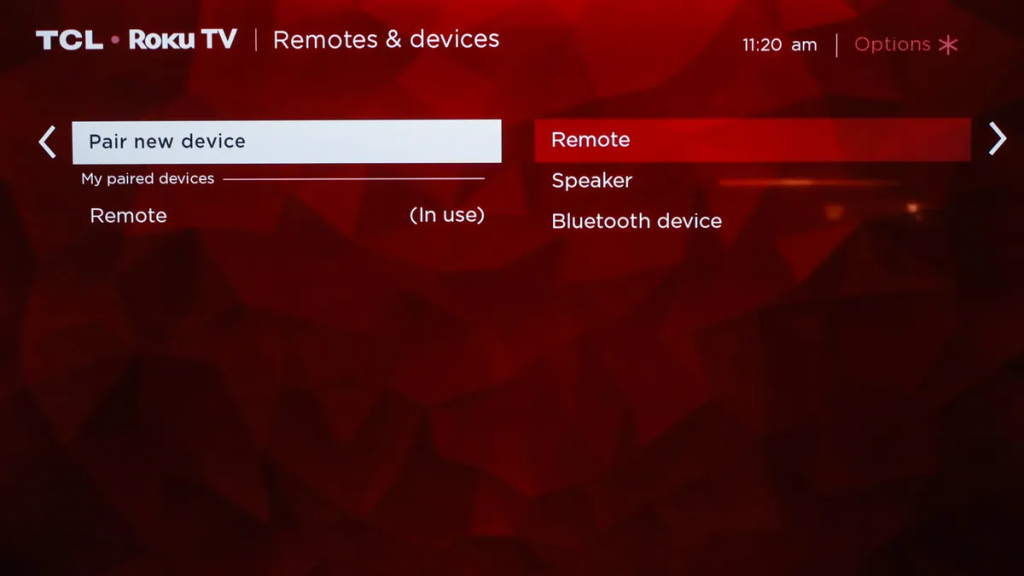
If the app works flawlessly but the physical remote does not, this further confirms a remote issue and means you can fix pairing without frustration.
8. Check for interference or conflicting devices
Your TCL Roku TV remote relies on radio waves or Bluetooth to send commands. Nearby gadgets throw off these signals with their own noise.
Wi-Fi routers push strong bands that clash. Microwaves leak bursts during use. Cordless phones and speakers add chatter, too.
The solutions are:
- Shift your router three feet back from the TV front.
- Unplug Bluetooth items like earbuds or game pads during tests.
- Keep phones on stands away from the set.
- Look at the HDMI ports next for hidden culprits. Crowded cables from boxes or sticks emit static near sensors.
When to find a replacement and support
If you’ve followed these ways to fix a TCL Roku TV remote that isn’t working and it still isn’t responding, it’s likely that:
- The remote’s hardware has failed,
- The TV’s IR receiver or wireless radio hardware is defective.
At such, you have these options:
- Order a replacement that matches your TV model.
- Use the Roku mobile app permanently if convenient.
- Contact TCL support for help with warranty or replacement options.