Stunning visuals are one of the most enjoyable things about watching TV, especially if you have a modern TV with high-quality display features. Therefore, finding that your TV picture looks like a negative can be very frustrating.
A negative picture on a TV screen can be caused by several things, from incorrect picture settings to losing cable, glitches, software and hardware issues, and more.
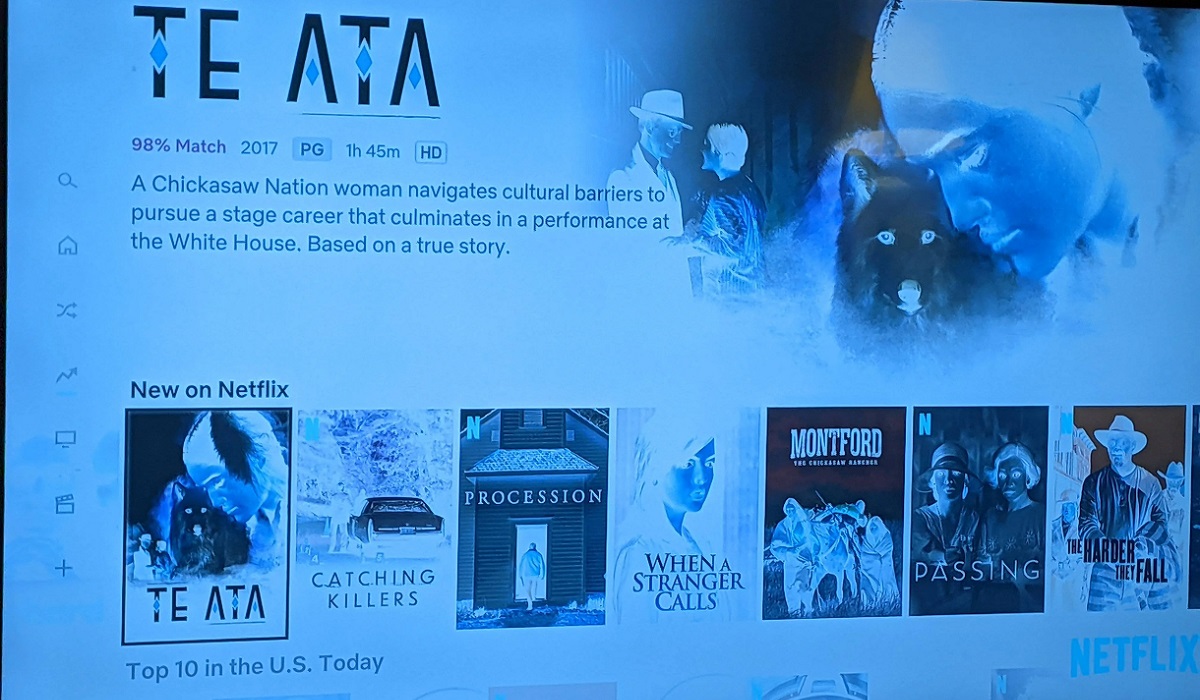
Below is a look at these causes and how you can fix the negative picture issue on your TV.
1. Incorrect settings
Incorrect TV settings could explain why your TV picture looks like a negative.
Some TVs come with accessibility features like color inversion, inverted colors, negative image, or high contrast that enhance the experience for individuals with visual impairments. However, accidentally triggering these features can make your TV picture look like a negative.
Some TV picture mode settings can also cause the negative picture issue, especially if the brightness and contrast settings have been set unusually high or low.
Solutions:
- Check that you have not accidentally enabled picture accessibility settings on your TV, and if so, turn them off. To do this, go to Settings > System > Accessibility > Color inversion (Inverted Colors/Negative Image) and turn the feature off.
- Go to your TV settings and select “Picture”, “Picture & Sound”, or “Display & Sound” and change the picture mode. You can browse through the available picture modes or choose custom mode, where you adjust brightness, contrast, color, and other settings.
2. Loose or damaged cables
Cables are another top reason that could explain why your TV picture looks like a negative. Loose TV cables (particularly HDMI cables) can interfere with the signal, including color information, leading to inverted colors.
Likewise, damaged HDMI cables can cause signal degradation, leading to a negative picture or other display issues on your TV.

Solutions:
- Check that all cables going into and out of your TV are connected snugly. This applies to your TV and any other device connected to your TV.
- Check for any signs of damage to your TV cable (broken or exposed wires) and replace them.
- You can also replace all your TV display cables with new ones or other working cables.
3. Software or firmware glitches
TVs rely on firmware to process colors and display them on the screen. Therefore, an issue with the firmware, for example, corrupted or outdated firmware, can cause the TV to misinterpret color data, making the pictures appear like a negative.
Besides firmware, software glitches and bugs can also cause your TV to display pictures that look like negatives. For example, a glitch with your TV’s video decoder can cause inverted colors or other display issues on your screen.
Solutions:
- The first thing you can do to fix firmware or software issues is to reboot your TV. You can do this by restarting your device (Settings > system > power > restart) or power cycling it (unplug the power cable > wait about 30-60 seconds > plug it back in.
- Updating your TV’s firmware or software can also help to fix inverted colors. To do this, go to your TV’s settings and look for an update option, then install any available updates.
- If the issue persists and you suspect a firmware or software glitch, you can factory reset your TV. Doing this will restore the TV to its default settings, clearing any software bugs, corrupted data, incorrect settings, and other glitches affecting your device.
Note: Many TVs offer an auto-update feature that you can enable if it is turned off. However, if you have an older model, you may have to update the firmware/software manually, or even use the USB update method, especially if your TV cannot connect to the internet.
4. Internal component issues
Issues with the internal components can also cause your TV picture to appear like a negative. Some of the components that can cause this problem include:
- Faulty T-con board: The T-con board translates video data from the TV main board into signals that generate images on the display. Therefore, a malfunctioning T-con board can cause a negative picture on your TV, in addition to other display issues.
- Power supply: Issues arising from the power supply can affect several features on your TV, including the display, resulting in a negative picture.
- Backlights: Damaged or faulty backlights can cause color distortions, potentially making your TV picture look like a negative.
- Cables: Your TV has internal cables: ribbon and LVD cables that connect the T-con board and the main board to the display panel, respectively. If these cables are loose or damaged, they can cause several display issues, including a distorted or pixelated image.
Solutions:
Unfortunately, when it comes to internal components, there is not much you can do in terms of fixing the problem, unless, of course, you have technical experience in TV repair.
Therefore, if you suspect an internal component is damaged or malfunctioning, the best thing you can do is call a technician to troubleshoot and repair your TV.
5. External interference
External interference is another issue that can explain why your TV picture looks like a negative.
One of the most common types of interference that can cause a negative picture is electromagnetic interference (EMI).
Devices like phones, Wi-Fi routers, microwaves, gaming consoles, TV boxes, speakers, and extension cords emit electromagnetic waves that can interfere with your TV.
The interference can affect your TV display in many ways, including causing color distortions or a negative picture.
In older CRT TV models, proximity to magnets can also cause EMI, which can affect the functioning of the electron gun, leading to color distortions, a negative picture, and other display issues.
Apart from electromagnetic interference, electrical issues, particularly power surges, can also cause inverted colors on your TV.
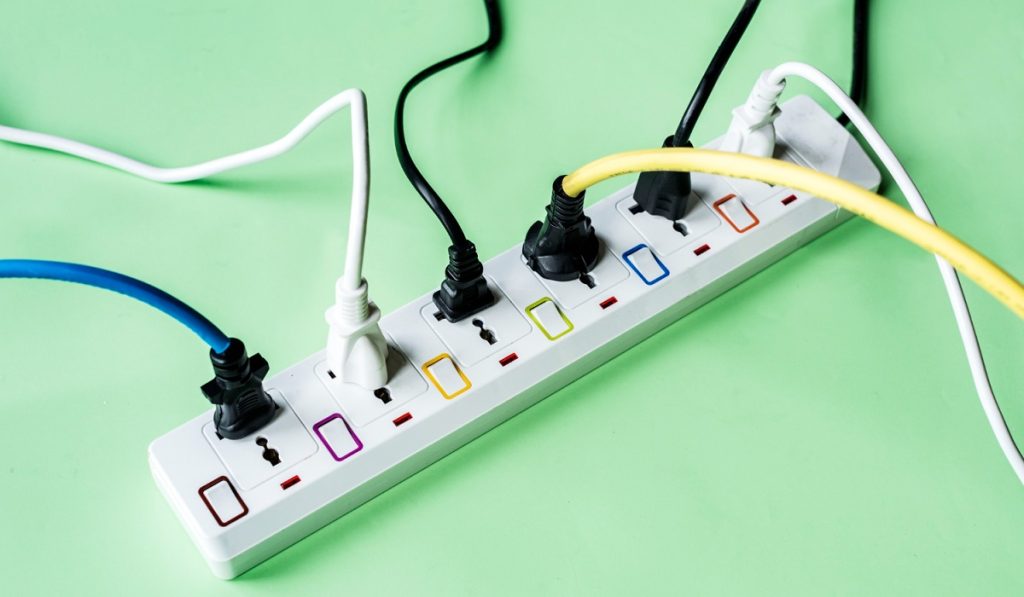
The electrical interference can be caused by unstable voltage, short circuits, improperly connected power cables, or connecting your TV to an outlet/extension cord with too many devices.
Solutions:
- Move any electrical devices and extension sockets away from your TV to prevent electromagnetic interference.
- Avoid connecting your TV to an extension cord that has too many devices.
- Plug your TV’s power cable into a surge protector or power cord to protect from power surges.
6. Physical screen damage
Physical screen damage is another reason why you can experience a negative picture on your TV. Cracks or a broken display panel can disrupt the signals that generate images, leading to color discolorations or a negative picture.
Apart from that, the impact or pressure that causes physical screen damage can also cause damage to your TV’s internal components, causing display issues.
Solutions:
Just like with internal components, a damaged screen is not something that you can easily repair. Therefore, the best thing you can do is call a technician or take your TV to an authorized service center for repairs.